For banks, credit unions, MSPs and growing businesses · on-prem

Every device on your network, approved by a person. And proof your examiner can check on their own.

GigID Labs Appliance reads your switches and firewalls, read-only, flags every device nobody approved, and turns each decision into signed evidence. No NAC project. No agents. It never changes a switch.

  • Read-only to your network
  • Never talks to us
  • Runs on hardware you already have

Early access: now taking pilot customers. We show it running, live, in a demo.

GigID Labs Appliance flags the one device nobody approved, and records the person who approves itThree sites, HQ, Branch 3 and Branch 5, each with a switch. 18 devices sit on switch ports. The appliance reads each switch's MAC table, read-only, and places every device on its exact port. One laptop on Branch 3, port Gi1/0/7, has no approval, so it is flagged "needs decision", and its arrival and the alert are written to the audit log as entries 1,202 and 1,203, after two earlier entries. Dana Mercer approves it with an authenticator code; the decision is entry 1,204, and a checkpoint of the log, size 1,205, is signed.HQSW-HQ-01Branch 3SW-B3Gi1/0/7 · needs decisionGi1/0/7 · approvedBranch 5SW-B5GigID Labs ApplianceExample Community Bank18 devices on 3 switches1 needs decision · Branch 3 · Gi1/0/7Approved · Dana Mercer · code checkedSNMPv3 · read-only · every 150 sAudit logevery change, in order1,200poll_rollupsystem1,201authDana Mercer1,202device_first_seensystem1,203alert_raisedsystem1,204decisionDana MercerCheckpoint signedsize 1,205GigID Labs Appliance flags the one device nobody approved, and records the person who approves itThree sites, HQ, Branch 3 and Branch 5, each with a switch. 18 devices sit on switch ports. The appliance reads each switch's MAC table, read-only, and places every device on its exact port. One laptop on Branch 3, port Gi1/0/7, has no approval, so it is flagged "needs decision", and its arrival and the alert are written to the audit log as entries 1,202 and 1,203, after two earlier entries. Dana Mercer approves it with an authenticator code; the decision is entry 1,204, and a checkpoint of the log, size 1,205, is signed.HQSW-HQ-01Branch 3SW-B3Branch 5SW-B5GigID Labs Appliance18 devices on 3 switches · read-only1 needs decision · Branch 3 · Gi1/0/7Approved · Dana Mercer · code checkedAudit log1,201auth1,202device_first_seen1,203alert_raised1,204decisionCheckpoint signedsize 1,205
Illustration. Example Community Bank is fictional.

Does one job. Fits next to what you already run.

Your NAC blocks. Your RMM manages. Your SIEM watches. The appliance proves a person decided, and sends its alerts to your SIEM, chat and ticketing.

What each category typically does, not any one product.

GigID Labs Appliance compared with what tools in each category it sits next to typically do
QuestionGigID Labs ApplianceNAC / 802.1XAsset discoveryRMM agentsCompliance (GRC) toolsSpreadsheet and switch CLI
Sees unmanaged devices at the switch portOn every switch it reads that serves the standard MIBs, from the switch’s own MAC tableWhere 802.1X is enforcedWhat answers a scan, when it runsOnly computers with the agentWhat someone uploadsWhen someone looks
Safe for fragile gear: no blocking, no downtimeRead-only; it never blocks or changes a portEnforcement can block a printer, phone or AS/400Some scans upset older devicesDoes not touch them, or see themNot applicableYes (nothing touches the gear)
Records who approved each device, and whyName, reason and authenticator code on every decisionA policy match, not a person’s reasonUsually notUsually notOne sign-off for the whole listIf someone types it in
Says when it was not lookingEvery switch, every day: monitored, partly or not monitoredUsually notThe last scan, not the gapsOffline agents, not unwatched portsUsually notNo
Tamper-evident record an examiner can check offlineSigned evidence packs, checked on the examiner’s own computerLogs and reportsExportsReportsScreenshots and uploadsNo: a file anyone can edit
Blocks a device at the portNo, by design. It tells a person and prints the command; your NAC enforcesYesUsually notUsually notNoBy hand, at the switch
More comparisons: setup, patching, where data lives
GigID Labs Appliance compared with what tools in each category it sits next to typically do: setup, patching and where data lives
QuestionGigID Labs ApplianceNAC / 802.1XAsset discoveryRMM agentsCompliance (GRC) toolsSpreadsheet and switch CLI
Setup effortStart one program on a computer you have; add a read-only SNMPv3 user on each switch and firewallA project: 802.1X on every port, certificates, exceptionsCollectors and credentials to manageAn agent on every computerA policy and control-mapping projectNone up front; done by hand every review
Manages and patches computersNo. That stays with your RMMNoUsually notYesNoNo
Data stays on siteOn site, unless you send alerts to a cloud tool you choose. It never contacts GigID LabsOften on siteOften a vendor cloudUsually a vendor cloudUsually a vendor cloudWherever the file is saved

The problem

Most device inventories are a spreadsheet and a promise.

  • UnknownA vendor plugs a laptop in at a branch. Nobody decides about it.Wire inventory
  • UnseenA switch stops answering. The report still says “0 rogue devices”.Honest coverage
  • UnsignedSomeone approved that device. Who, when, and why?Signed decisions
  • UnprovableThe examiner asks about last March. You send screenshots.Evidence packs

We have seen this on network after network, and the usual fixes make it worse. NAC takes down the phones and the AS/400. Scanners miss the devices that do not answer. Monitoring tools bury the one alert that matters. So the inventory goes back into a spreadsheet, rebuilt by hand before every exam.

From the switch port to the examiner’s laptop.

One program on hardware you control. It reads, a person decides, every change is signed, and anyone holding the key ID can check the result.

From switch to examinerSwitches and a firewall are read over SNMPv3 into the appliance, which signs every change into its log; an evidence pack goes to an examiner who verifies it offline. No connection to GigID Labs.GigID Labsno connection, everNothing goes to GigID Labs: no telemetry, no license checkYour network · on-premSW-HQ-01Switch: MAC tableSW-B3Switch: MAC tableFW-01Firewall: ARP tableLocal scanoptional, you start itno probes, no loginsSNMPv3 GET · read-only · every 150 sArrows point in only. It never writes to a switch.GigID Labs Applianceon your hardwareInventoryevery device, exact portDecisionssigned by a personCoveragewhere it was lookingAudit logappend-only Merkle tree#1,201poll_run#1,202alert_raised#1,203decision#1,204batch_signedCheckpoint signedtree size 1,205Evidence packsigned ZIPyousend itExamineroffline, own computerRegistered keySignatureFile digestsCheckpointEntries in logHistoryTotalsResult: PASSFrom switch to examinerSwitches and a firewall are read over SNMPv3 into the appliance, which signs every change into its log; an evidence pack goes to an examiner who verifies it offline. No connection to GigID Labs.GigID Labsno connection, everYour network · on-premSW-HQ-01MAC tableSW-B3MAC tableFW-01ARP tableSNMPv3 GET · read-only · every 150 sGigID Labs Applianceon your hardware · plus an optional local scanInventoryevery device, exact portDecisionssigned by a personCoveragewhere it was lookingAudit logappend-only Merkle tree201poll_run202alert_raised203decision204batch_signedCheckpoint signedsize 1,205Evidence packsigned ZIP, any date rangeyou send itExamineroffline, own computerRegistered keySignatureFile digestsCheckpointEntries in logHistoryTotalsResult: PASS
From switch to examiner. Sources are only read. Every change is a signed log entry. The evidence pack leaves only when you send it, and nothing goes to GigID Labs.
What this shows

Inside your network, two switches (SW-HQ-01 and SW-B3) and a firewall (FW-01) are read by the GigID Labs Appliance over SNMPv3, read-only, every 150 seconds; the arrows point into the appliance only. An optional local scan, which a person starts, adds what the attached subnet shows, with no port probes and no credentials. The appliance keeps the device inventory with each device's exact port, the decisions people sign, and a record of where it was and was not looking. Every change becomes an entry in an append-only Merkle log (entries 1,201 to 1,204: a poll, an alert, a decision and a bulk sign-off), and a checkpoint of the log is signed with the appliance's Ed25519 key. An evidence pack, a signed ZIP for any date range, leaves the network only when you send it. The examiner checks it offline on their own computer: registered key, signature, file digests, checkpoint, entries in the log, history and totals, ending in PASS. GigID Labs sits outside your network with no connection to the appliance.

Read the full architecture

Three promises, each one you can check.

Sixteen features in five parts, each with its own page and its technical detail in the docs.

See

See everything. Break nothing.

Every device on your network, from the switches’ own tables, on its site, switch, port and VLAN. No blocking and no agents, so the AS/400, the phones and the printers stay up.

When it was not looking, it says “not monitored”. It never says “nothing found”.

Honest coverage: monitored and not monitored time, by sourceSW-B5 was not monitored from 6:05 to 9:14 AM. The answer for that window is "not monitored", not "nothing found".Coverage · today, 4 AM to 12 PM100%89%monitored in this window · SW-B7 counted from 10:30 AMSW-HQ-01SW-B3SW-B5FW-01SW-B7added 10:30 AM4 AM5 AM6 AM7 AM8 AM9 AM10 AM11 AM12 PMMonitoredPartly monitoredNot monitoredBefore monitoringUnapproved devices, SW-B5, 7 to 8 AMNever this0 unapproved devicesNot monitored6:05 AM – 9:14 AMSW-B5 not answering · 140 devices unverifiedAsk again for a monitored window.Honest coverage: monitored and not monitored time, by sourceSW-B5 was not monitored from 6:05 to 9:14 AM. The answer for that window is "not monitored", not "nothing found".Coverage · today, 4 AM to 12 PM89%monitored in this windowSW-HQ-01SW-B3SW-B5FW-01SW-B74 AM6 AM8 AM10 AM12 PMMonitoredPartly monitoredNot monitoredBefore monitoringUnapproved devices, SW-B5, 7 to 8 AMNever this0 unapproved devicesNot monitored6:05 AM – 9:14 AMSW-B5 not answering140 devices unverified. Ask again fora monitored window.
Honest coverage. A gap is printed as a gap. When a switch was not being read, the answer is "not monitored", never "nothing found".
What this shows

A coverage timeline for today from 4 AM to 12 PM, one row per source and one cell per 15 minutes. SW-HQ-01 was monitored all morning. SW-B3 was monitored except one partly monitored cell at 7:30 AM. SW-B5 stopped answering at 6:05 AM and was not monitored until 9:14 AM, shown as hatched cells. FW-01 was monitored except one partly monitored cell at 10:15 AM. SW-B7 was added at 10:30 AM; the cells before that are marked before monitoring and are not counted. Overall, 89% monitored in this window. Asked about unapproved devices on SW-B5 between 7 and 8 AM, the appliance does not say "0 unapproved devices". It says: not monitored from 6:05 to 9:14 AM, 140 devices unverified, ask again for a monitored window.

Decide

A person decides, on the record.

Every decision has a name, a reason and a time. Tick the groups you recognize, check the frozen list, and sign up to 1,000 decisions with one authenticator code.

Possible clones and held devices are never proposed. Nothing approves itself. Similar decisions shows how comparable devices were decided; it never decides for you, and its screen is in development.

Bulk sign-off: group, preview, one code, signed entries30 devices selected; 27 signed with one code, 2 held back, 1 left for a person; 27 decision entries plus one batch entry.1 · GroupNeeds decisiongrouped by site and makerBranch 3 · Zebra12HQ · Dell12Branch 3 · HPE630 selectedDecide on all 30Sends the filter, not a list of IDs.2 · Preview the frozen listFrozen listexpires in 15 minutesWill be signedroutine: no warnings27Held backfirst seen under 24 hours2Decide yourselfpossible clone: never in bulk13 · One codeSign 27 approvalsfor Example Community BankReasonFirst baseline, routine devicesAuthenticator code482917Sign 27 decisions4 · Signed entriesAudit logone entry per device, plus the batch#1,204decisionin batch#1,205decisionin batch#1,206decisionin batch… 24 more decision entries#1,231batch_signed27 members · B-7K3M-Q9TXCheckpoint signedBulk sign-off: group, preview, one code, signed entries30 devices selected; 27 signed with one code, 2 held back, 1 left for a person; 27 decision entries plus one batch entry.1 · GroupNeeds decisiongrouped by site and makerBranch 3 · Zebra12HQ · Dell12Branch 3 · HPE630 selectedDecide on all 30Sends the filter, not a list of IDs.2 · Preview the frozen listFrozen listexpires in 15 minutesWill be signedroutine: no warnings27Held backfirst seen under 24 hours2Decide yourselfpossible clone: never in bulk13 · One codeSign 27 approvalsfor Example Community BankReasonFirst baseline, routine devicesAuthenticator code482917Sign 27 decisions4 · Signed entriesAudit logone entry per device, plus the batch#1,204decisionin batch#1,205decisionin batch#1,206decisionin batch… 24 more decision entries#1,231batch_signed27 members · B-7K3M-Q9TXCheckpoint signed
Bulk sign-off. One code signs up to 1,000 decisions. Each device still gets its own signed entry, and risky devices are never proposed.
What this shows

Four steps from left to right. 1, Group: devices that need a decision are grouped by site and maker, and three groups are ticked: Branch 3 Zebra (12), HQ Dell (12) and Branch 3 HPE (6), 30 in all; the bulk bar offers "Decide on all 30". 2, Preview: the list is frozen for 15 minutes and split three ways: 27 will be signed (routine, no warnings), 2 are held back (first seen under 24 hours) and 1 is left to decide yourself (a possible clone, never signed in bulk). 3, One code: "Sign 27 approvals for Example Community Bank" with a reason and a six-digit authenticator code. 4, Signed entries: the audit log gets one decision entry per device (entries 1,204 onward, each marked as in the batch), then entry 1,231, batch_signed, with 27 members and the batch ID B-7K3M-Q9TX, then a signed checkpoint.

Prove

Proof that stands on its own.

Hand your examiner a file, not a story: every decision in a signed log, and a pack for any date range that verifies offline in seven checks, trusting neither you nor us.

Rewind answers what was on a port at any past moment, and whether it was being read then, with a signed answer.

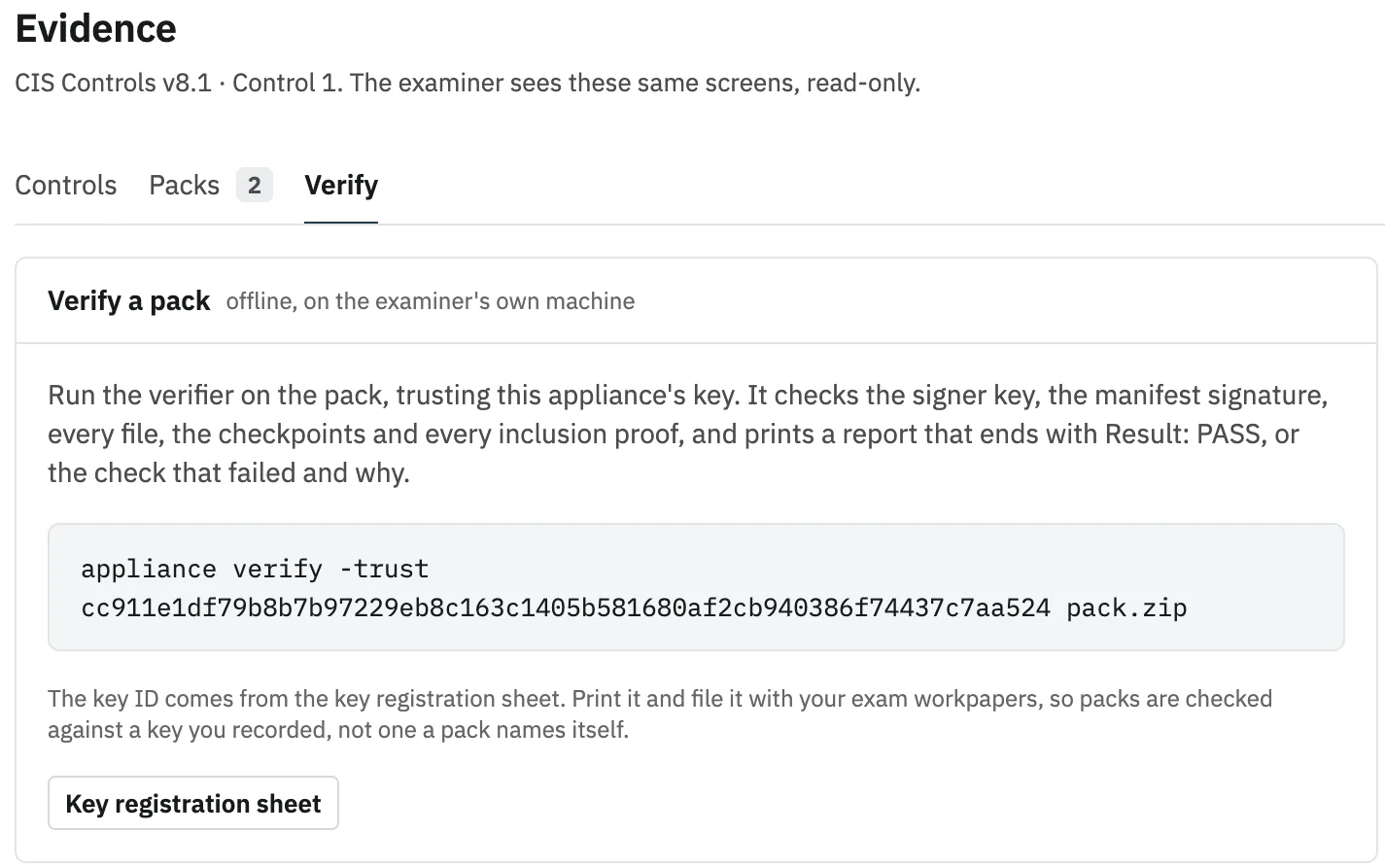
Rewind: what was on SW-B3 Gi1/0/14 at a past momentA day on one switch port, with who was connected, the coverage gap, and the signed answer for the chosen moment.SW-B3 · Gi1/0/14 · VLAN 20Branch 3 · Aug 14, 2026empty2:14 PMPrinter · 00:00:5E:00:53:2A · 10.3.20.41ApprovedNeeds decisionNothing connectedNot monitoredOn the portCoverage8 AM10 AM12 PM2 PM4 PM6 PMLaptop LT-0412, approvedPrinter, nobody approvedSwitch not readSigned answerQuestionWhat was on Gi1/0/14 at 2:14 PM?Verdictdevices_presentDevicePrinter · 00:00:5E:00:53:2A · 10.3.20.41Status at that momentNeeds decision: nobody had approved itCoverageMonitored · 2m30s apart (limit 5m)Full reads at 2:13:01 PM and 2:15:31 PMquestion 2a70…43df · answer 3112…d981appliance verify -trust <key-id>-answer answer.zipResult: PASSRewind: what was on SW-B3 Gi1/0/14 at a past momentA day on one switch port, with who was connected, the coverage gap, and the signed answer for the chosen moment.SW-B3 · Gi1/0/14 · VLAN 20Branch 3 · Aug 14, 20262:14 PMApprovedNeeds decisionNothing connectedNot monitoredOn portCoverage8 AM12 PM6 PMapprovednobody approvednot readSigned answerQuestionWhat was on Gi1/0/14 at 2:14 PM?Verdictdevices_presentDevicePrinter · 00:00:5E:00:53:2A · 10.3.20.41Status at that momentNeeds decision: nobody had approved itCoverageMonitored · 2m30s apart (limit 5m)Full reads at 2:13:01 PM and 2:15:31 PMquestion 2a70…43dfanswer 3112…d981appliance verify -trust <key-id>-answer answer.zipResult: PASS
Rewind. Ask what was on a port at any past moment, and get an answer an examiner can verify offline. Illustration with fictional data.
What this shows

A timeline of one switch port, SW-B3 Gi1/0/14 on VLAN 20 at Branch 3, on Aug 14, 2026 from 8 AM to 6 PM. Laptop LT-0412, approved by Dana Mercer on Jul 2, was connected from 8 AM to 11:40 AM and again from 3:20 PM. A printer nobody had approved was connected from 1:58 PM to 3:20 PM. The switch was not being read from 12:10 PM to 1:02 PM. A slider picks a moment. At 2:14 PM the answer is: devices_present; Printer · 00:00:5E:00:53:2A · 10.3.20.41; Needs decision: nobody had approved it; Monitored · 2m30s apart (limit 5m). The answer is signed and can be checked offline with appliance verify -trust <key-id> -answer answer.zip. For a moment in the gap, the answer is unknown, never "nothing there".

Also included: Detect and Connect

A claim is not trust. And it works with what you run.

A laptop posing as a switch, a gateway’s address on a desk port, a jack used between polls or after closing: each raises a High alert that says why. Something scanning the appliance itself is flagged at Medium, with the switch port it is on.

Alerts and the signed log go to the tools you already run.

All features

The screens your team and your examiner use.

Real screens from the new interface, which is in development, running against simulated switches. The organization is fictional. Select a screen to open it full size.

Needs decision, grouped by site, then maker: 25 devices in 10 groups. The Apple and Flextronics International groups at Branch 3 are ticked, and the button reads Preview 2 groups, 8 devices.(opens the full-size image)Needs decision, grouped by site, then maker: 25 devices in 10 groups. The Apple and Flextronics International groups at Branch 3 are ticked, and the button reads Preview 2 groups, 8 devices.(opens the full-size image)
Needs decision: 25 devices grouped by site, then maker, with two groups ticked to approve in one signed step. A real screen from a test appliance polling simulated switches.
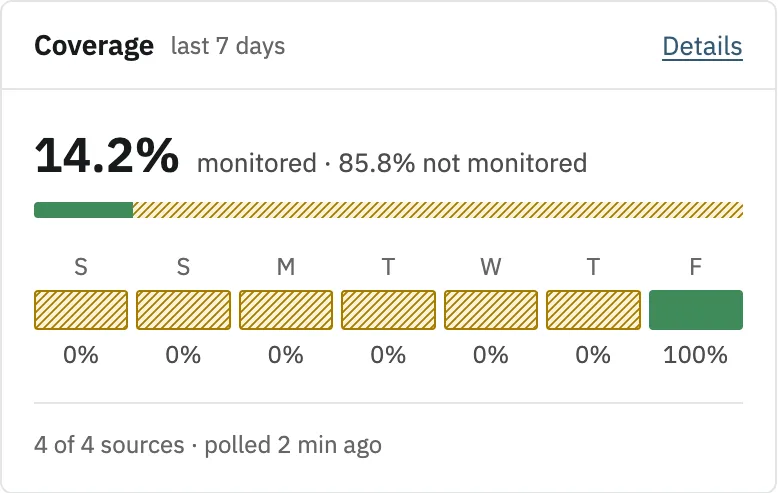
  • The Overview on a phone: the checklist, Needs attention and coverage at 14.2% of the last seven days.The Overview on a phone: the checklist, Needs attention and coverage at 14.2% of the last seven days.
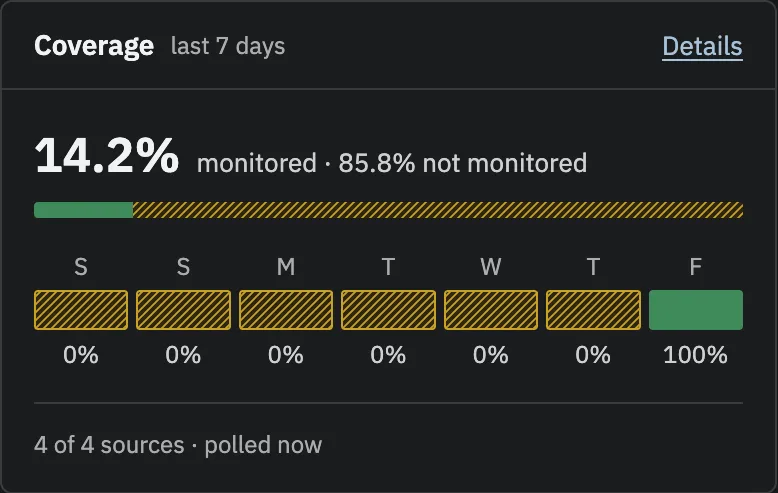
    New interface, in developmentThe Overview on a phone. Coverage reads 14.2% because the test appliance had run for 20 minutes: earlier days count as not monitored.
  • The Alerts list on a phone.The Alerts list on a phone.
    New interface, in developmentAlerts, readable at phone width.
  • A device page on a phone: not approved and still connected, flagged as a possible clone, with its location and decision record.A device page on a phone: not approved and still connected, flagged as a possible clone, with its location and decision record.
    New interface, in developmentThe full decision record fits on a phone screen.

Works alongside what you already run. Replaces nothing.

Alerts go to your SIEM, chat, ticketing, pager, email and NMS, filtered per destination. IT’s device lists come in to be compared with the wire. The setup screen is in development.

SIEM and logs

  • Splunk
  • Microsoft Sentinel
  • Syslog

Chat

  • Microsoft Teams
  • Slack

Ticketing and PSA

  • ServiceNow
  • ConnectWise
  • Autotask
  • HaloPSA

Email, paging, SNMP and webhooks

  • Email
  • PagerDuty
  • SNMP
  • Webhook

Device lists to reconcile

  • Active Directory
  • Microsoft Entra ID
  • Microsoft Intune
  • CrowdStrike
  • Microsoft Defender
  • DHCP
  • Spreadsheet

Exports

  • CSV
  • NDJSON

Product names are trademarks of their owners. Listing them does not mean a partnership or an endorsement.

How the integrations work

Security

What the appliance never does.

The first questions in a bank’s vendor-management review, answered by how the appliance is built.

  • Never writes to your network.

    SNMP GET, GETNEXT and GETBULK only. It never changes a switch. When a port should be shut, the alert prints the command for a person to run.

  • Never talks to GigID Labs.

    No telemetry, no license check, no update check, no vendor endpoint. Destinations under gigidlabs.com are refused.

  • Never sends your data to an AI service.

    Device data leaves only for destinations an Admin configures: your SIEM, chat, ticketing or mail relay.

  • Never approves a device on its own.

    Every device on a monitored jack waits for a person’s decision, including the box someone plugs in to run their own AI. Imported lists and rules never approve anything.

Read the security pageWhat we have not done yet

Why we built this

Engineered by professionals, for the professionals who have to prove it.

Two engineers, each with more than 20 years in the field.

We saw the same gap again and again: nobody could say for certain what was plugged in, or who approved it. The tools that promised to fix it were too complex, too costly or too risky to run. We are engineers first, not business people, so we built the tool we wanted: simple, read-only, honest about what it cannot see, and able to prove what it says.

More about us

Who it is for

Built for the people who put their name on it.

  • Banks and credit unions

    Exam evidence for device inventory, ready any day.

    • Signed weekly reviews
    • Evidence packs verified offline
    • A signed quarterly board report
  • MSPs

    One appliance per client, wired into the tools you already run.

    • Tickets in ConnectWise, Autotask, HaloPSA or ServiceNow
    • The evidence log in your SIEM
    • Exit codes for your RMM
  • Small and mid-size businesses

    Know every device on your network without a security team.

    • Runs on hardware you already have
    • Plain-English alerts
    • No agents on your computers

Launching soon

A hosted console for MSPs and multi-site organizations, and marketplace listings. Neither is available today, and the on-prem appliance never needs either. What comes next

Early access: now taking pilot customers.

See it live on a simulated network, then on your own. Pilot customers help shape what comes next and work directly with the engineers who built it.